01
Committed or casual, on your terms
Pick Committed for compatibility-led introductions, Casual to explore people you are drawn to, or both. Relationship structure is a separate choice in either mode.
Private beta now open
Dani by Velvet Ties brings AI-assisted matchmaking and human curation into a real social community. Share what matters to you, explore Committed or Casual, and take the next step toward meeting someone in person.
Digital app access is free during the beta. Approval and verification requirements still apply. Physical events may be ticketed separately.
Apply on the web, or start directly in the app on your iPhone. Not ready yet? Join the city waitlist.
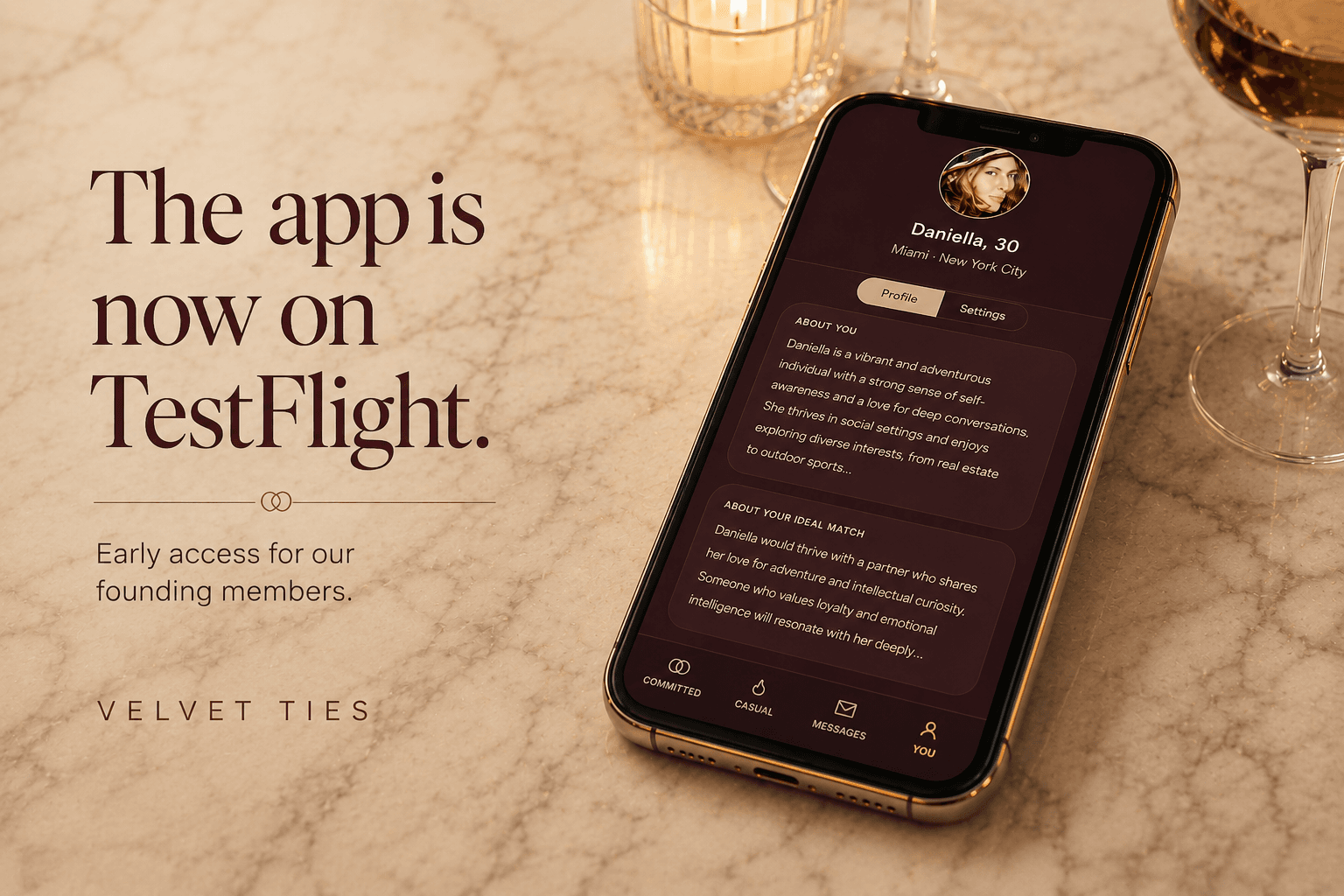
Your iPhone. One beta link.
Use your iPhone, install TestFlight if Apple asks, then come back to the same link to add Velvet Ties.
01
Pick Committed for compatibility-led introductions, Casual to explore people you are drawn to, or both. Relationship structure is a separate choice in either mode.
02
Ethically non-monogamous, monogam-ish, or monogamous by choice. Real attention to chemistry, relationship structure, Dom/sub dynamics, and kink preferences.
03
Browse Velvet Ties gatherings and use IRL-mode to plan with your connections. Check each event for location, availability, and any separate ticket price.
04
Member review and selfie verification support a more considered community. Private preferences stay out of your public profile. No review process can guarantee another person's behavior.
Private beta app FAQ
Install through TestFlight, continue with your phone number, and follow the app's onboarding steps. You can send beta feedback directly from your iPhone.
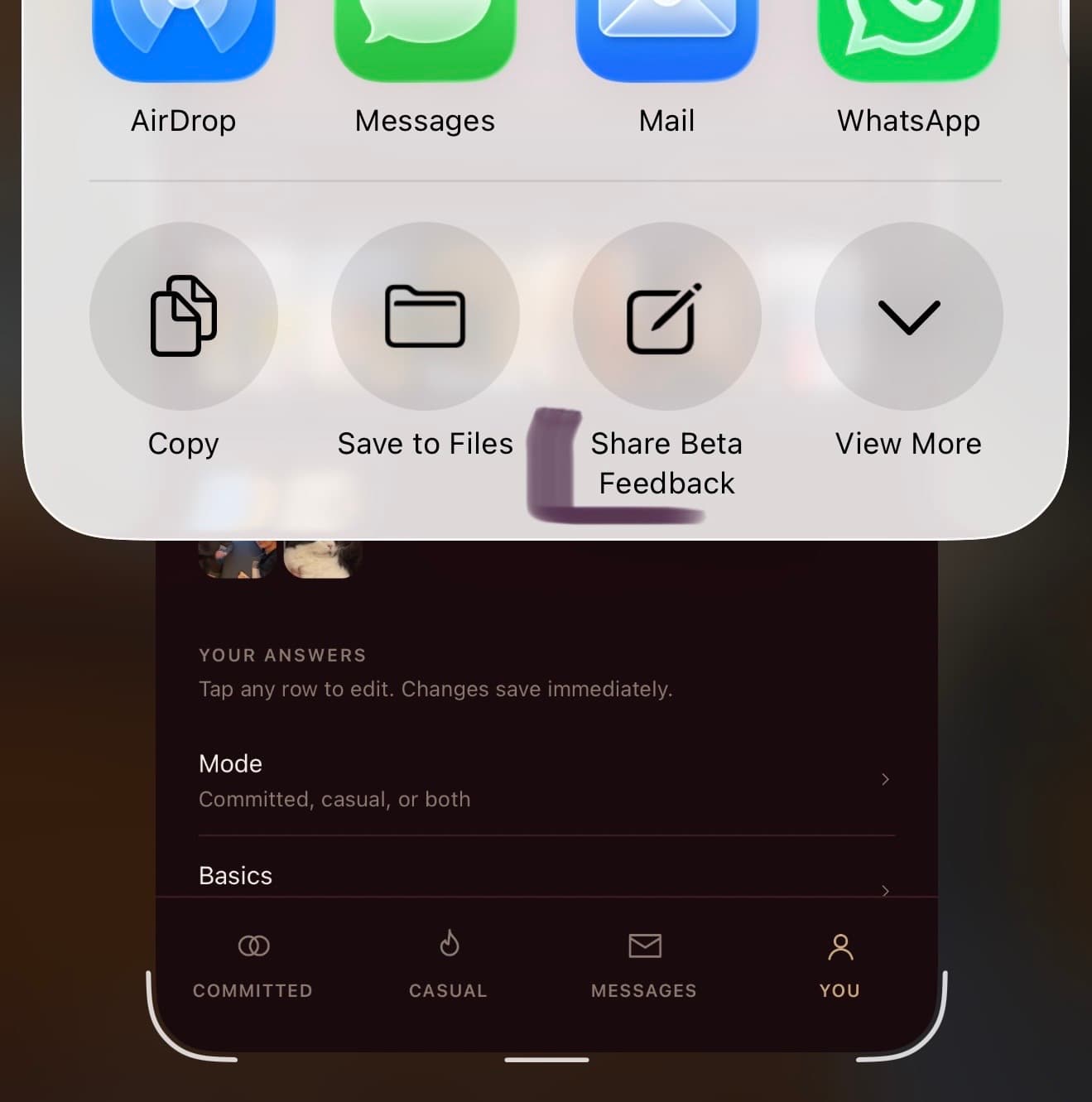
Screenshot the issue, tap the iOS share icon, and choose Share Beta Feedback. It sends the screenshot with your note.
Apply on the web, or start directly in the app. Both paths include onboarding and review; downloading is not approval.
Committed for relationship-minded introductions. Casual for chemistry-led exploration. Pick one, or run both, with separate preferences.
Dani is your AI matchmaker: a private conversation helps capture your preferences and draft your bio. Review what she writes before it represents you.
The matching engine compares preferences and compatibility signals. AI helps turn profile information into context; Daniella, our human founder and matchmaker, adds curation. An introduction is a possibility, not a guarantee of chemistry.
Find real-world gatherings in the app. Physical events may be ticketed separately from digital app access.
Tell us what felt right or off. Your feedback gives the team more context for future introductions and product improvements.
01
Open the TestFlight link on your iPhone and install the Dani by Velvet Ties beta. In TestFlight, it is listed as Velvet Ties.
02
Tap "Continue with phone" and verify the code sent to your number. This works for new and returning members.
03
Follow the app's next step: complete your profile, choose Committed, Casual, or both, and finish the required review and verification steps.
04
Screenshot bugs, tap share, then choose Share Beta Feedback.
Install
Tap Download Dani in TestFlight on your iPhone. It opens Apple's TestFlight app, which is how Apple shares beta builds. You can start in the app without submitting a web application first.
Apple will send you to the App Store to install TestFlight first. It is free. After it is installed, come back to this page and tap the same TestFlight link again. The second tap adds Velvet Ties.
You will skip straight to an Install button for Velvet Ties. Tap Install and let the app finish downloading.
The TestFlight install flow works best from your iPhone. If you opened this page on desktop, send the link to your phone and open it there.
Sign in
Open the app, tap "Continue with phone", and enter your mobile number. Verify the text-message code, then follow the next step shown. New and returning members use the same entry.
Yes. Tap "Use email instead" on the welcome screen. For an existing account, use the email attached to it. The app will explain the next step if it cannot find your account.
Email dg@velvetties.com or WhatsApp (646) 708-0072. Tell Daniella which sign-in method you tried and what the screen says. Never send your sign-in code.
The beta
A growing community, some rough edges, and a direct line to Daniella when something feels off. Availability depends on your mode, preferences, and the people currently in the community; we do not promise an introduction by a particular date.
No. This is the private beta. Digital app access is free during the beta, subject to approval and verification requirements. Physical events may be ticketed separately. Features and future pricing may change.
No. You can begin on the web or in the app, but installation is separate from completing your profile, review, and verification. Follow the status and next steps shown in the app; there is no promised approval timeline.
Beta feedback
Use the iPhone beta feedback flow: screenshot the screen where you spotted the bug, tap the share icon, then choose Share Beta Feedback. It sends straight to Daniella with the screenshot attached.
Send a short note to dg@velvetties.com or WhatsApp (646) 708-0072. Include what you tapped, what you expected, and what happened instead.
For app setup, beta access, or anything that feels off, email dg@velvetties.com or WhatsApp (646) 708-0072. For general Velvet Ties questions, email velvet@velvetties.com.